Growth · Part of Compliance and Audit
Data retention policy editor + enforcement
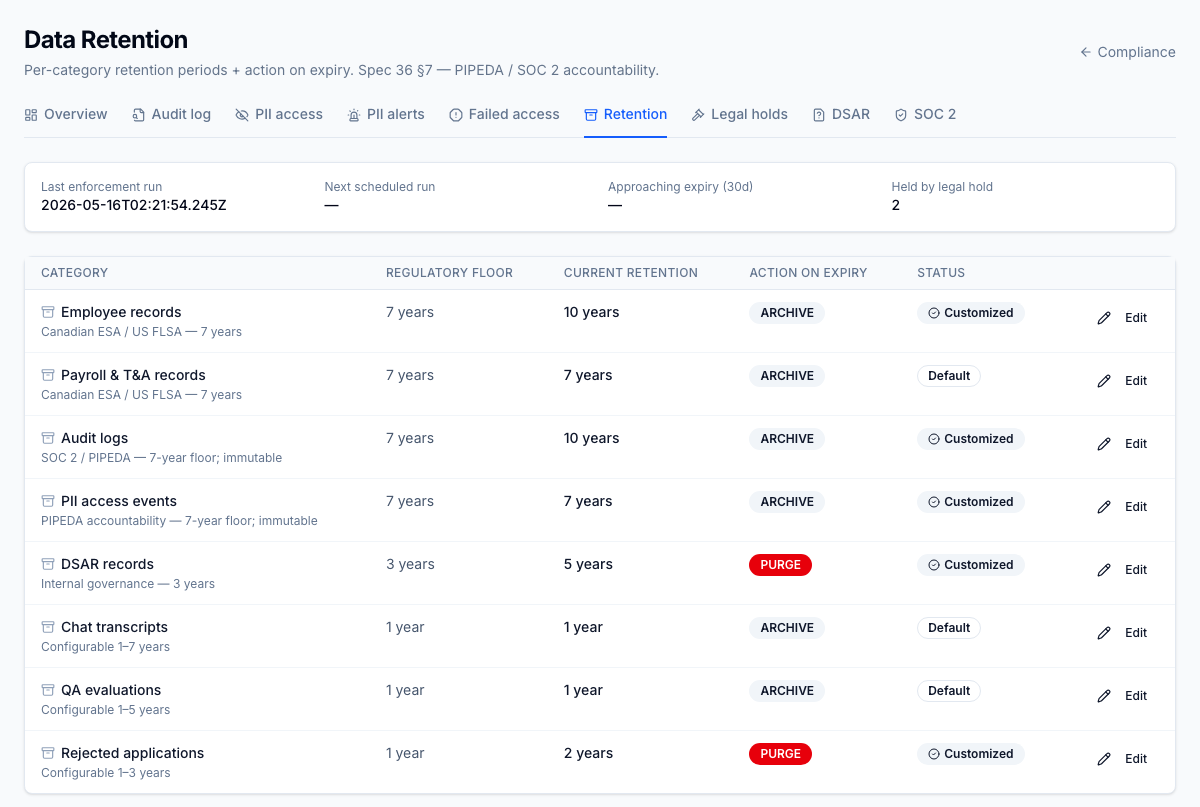
Per-category retention windows (employee records, audit events, recruiting candidates, notifications, etc.) with PIPEDA's 7-year floor as a hard minimum. Dry-run preview before commit; retroactive policy changes require explicit confirmation; worker executes purge / archive per schedule.
For the operator
Set this once per tenant when onboarding, revisit annually or when regulations change. The dry-run is your friend — always run it before committing, especially when tightening. The retroactive-confirmation modal that appears on stricter changes is intentional friction; treat it as a checkpoint, not an obstacle.
Business impact
The other big regulator question after "who accessed what" is "how long do you keep what". Without this, every contact centre with Canadian employees is in violation of PIPEDA's retention minimums by accident. With it, retention is configured, audited, and enforced — and the SOC 2 evidence package includes a per-category retention run report that ships straight to the auditor.