Enterprise · Part of Team Chat
Live messaging & presence
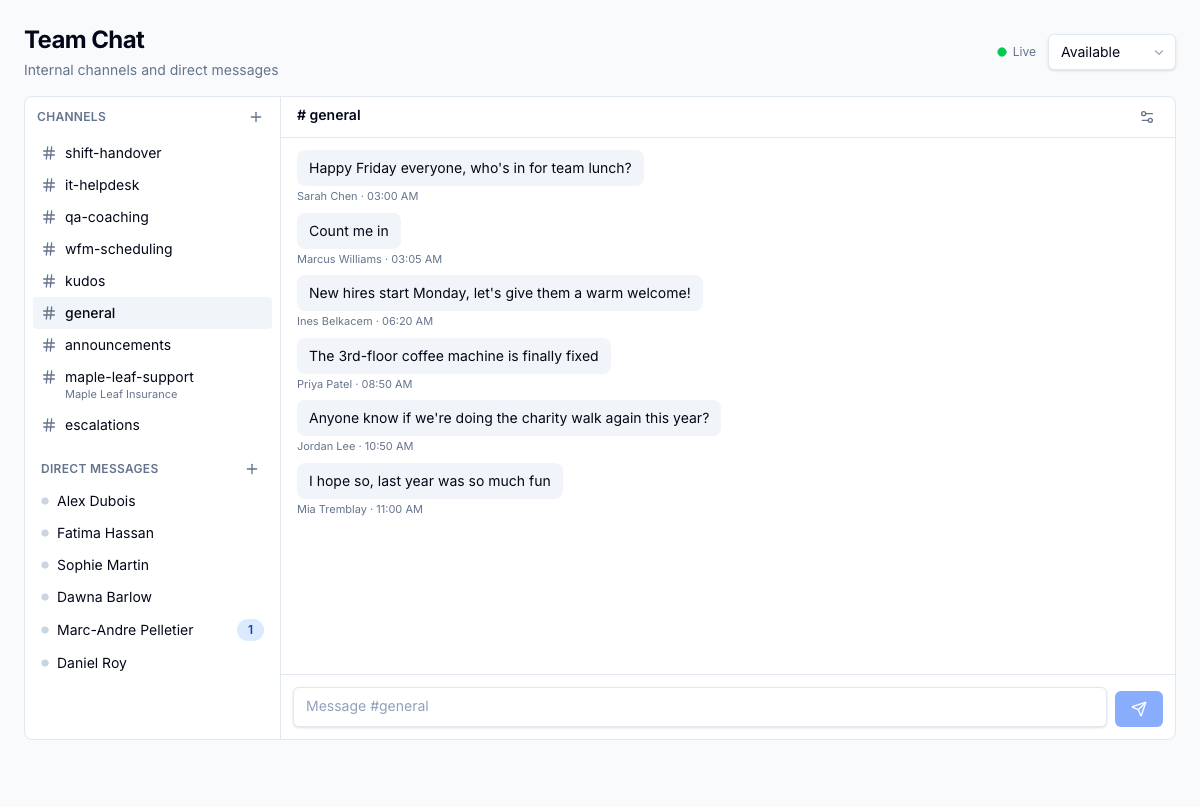
Messages, edits, and deletes arrive the moment they happen, and every agent carries an Available, Away, or Busy status that decides whether they take on customer conversations.
For the operator
You open /chat and a Live indicator tells you the stream is connected. Set yourself Available, Away, or Busy from the header, and only Available means you're in line for customer assignments. New messages land in the open thread as they're sent, while other conversations bump an unread-count badge in the sidebar so you know where to look next. A colored dot on each direct message shows whether the other person is online, and if you go idle past the tenant's timeout window, you're flipped to offline and taken out of assignment eligibility until you're back.
Business impact
Conversations move at the speed of the customer instead of waiting on a refresh, and customer work only routes to agents who are actually online and available to take it.